Want to goBeen
One list for the places you want to go.
Save a place just by typing its name.
Share it with family or friends, and record a visit with one tap.

Use it right in your browser. With the iPhone app, you can save from the share menu.
- Start without signing up
- Free
- Private

Features
Logging a visit takes as few steps as possible.
01 — Save
Collect places you want to go
Type a name and the address and map location are filled in. In the app you can also save from the share button in Google Maps, or from a screenshot of a place you found on social media.
02 — Log
Been there? One tap.
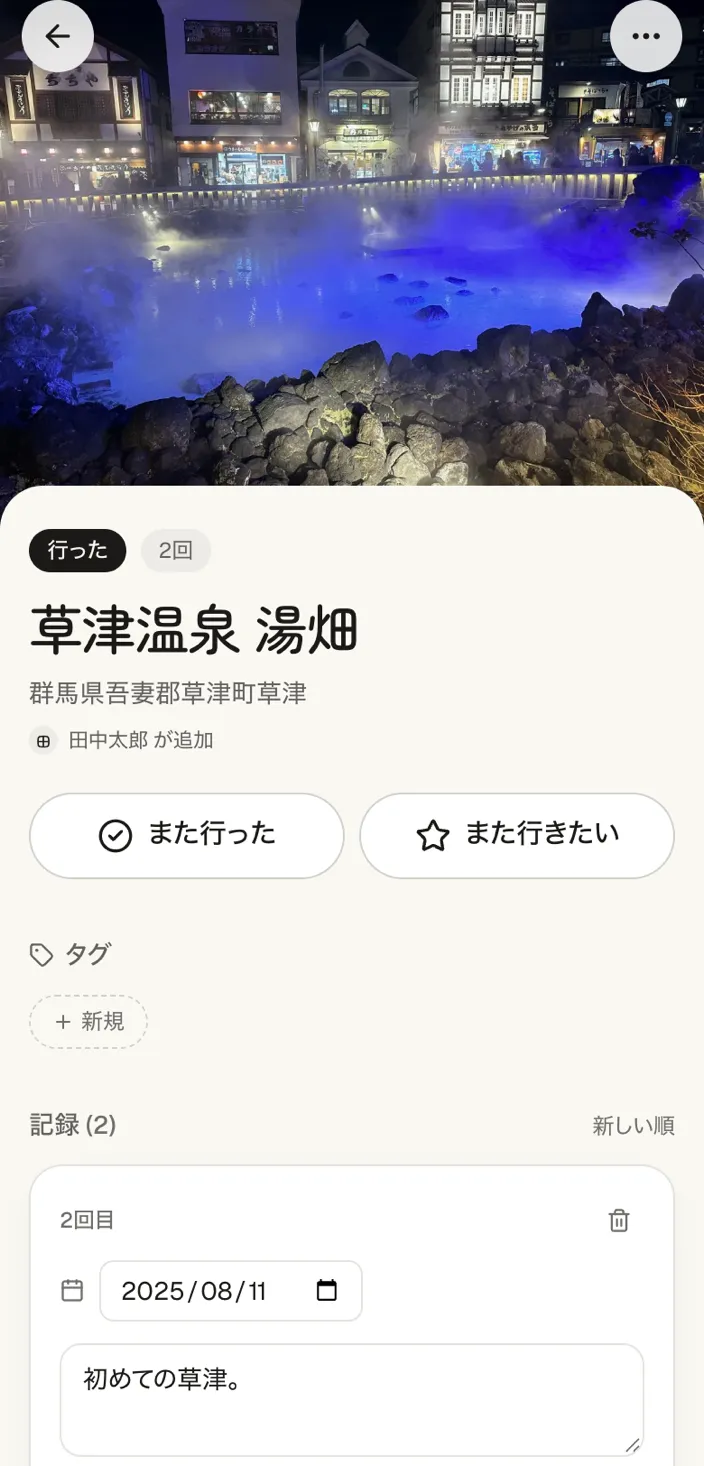
Tap once on your way home. The date is filled in, and you can add photos and notes later. Places you have been are listed by month.
Not just a list of places you want to go.
A list you only save to tends to be forgotten without ever being visited. ittalog puts the record after you go first, so the time you spend out adds up.
A typical saved list
- You lose track of whether you went
- Nothing is left after a visit
- You worry about who can see it
The ittalog log
- Places you have been are kept as a log
- Photos and dates become the record
- Only people you invite can see it
Only you and
the people you invite can see it.
ittalog has no social features. Your records stay between you and the people you invite, and are not shared outside.
No followers
Only the people you invite can see it.
No likes or reactions
Focus on the experience itself, not on ratings.
No public timeline
Nothing flows out to the public like on social media.
03 — Share
One list with family or friends
Just send an invite link. No need to exchange email addresses. The other person can join from a browser even without the app. Only people you invite can see your list, and you can keep separate groups, such as "family" and "friends".
Getting started
Signing up and inviting can come later.
Start alone, invite later.
You can start with your own log without signing up. Invite others later, or keep it just for yourself.
STEP 1
Start logging
No sign-up needed, right in your browser. Save places you are curious about, and log a visit with one tap.
STEP 2
Send an invite link
When you want to keep going, create an account. Send one invite link and the other person joins the same log.
STEP 3
Log together
Everyone can add to the same list, whether it is family or a group of friends.
How people use it
Places to try pile up
Just toss them in as you think of them. Ideas for your next day off collect on their own.
Photos get scattered
Kept with the place and the date, so you can trace them back later.
Not for social media
It is a private log, so you can leave things as they are.
Look back on a day
When, where and what you did becomes a timeline as it is.
From the maker
Cafes and shops I had said "let's go there sometime" about kept getting buried in my chat history. Places I wanted to go alone also got mixed up with places I wanted to go with others. I wanted a place to keep the places I want to go, sorted, and to turn them into a record once I have been. So I made ittalog.
Lists can be split by person, so you can use it to share with family or friends, or as a log just for yourself.
FAQ
Does it cost anything?
It is free to use.
Do I have to sign up?
You can start right away with "Try it". Without signing up you can save up to 10 places. If you want to keep going, create an account and your records carry over as they are.
Can I keep using it without signing up?
Your records are kept only in this device's browser, so clearing your history or switching devices loses them. Create an account when you want to keep them.
Do I need to install the app?
No. It works in a browser on a phone or a computer. There is also an iPhone app on the App Store, which lets you save from the Google Maps share menu or from screenshots of social media posts. Your records are the same as in the browser version.
Do invited people need the app?
No. Open the invite link, create an account with an Apple ID, a Google account or an email address, and use it in the browser. On iPhone, the app also lets you save from the Google Maps share menu or from screenshots (the records are the same).
Can I use it alone?
Yes. Start with your own log, and send an invite link later to be joined by others (inviting is available after you create an account). Your own records stay as they are after others join.
Can I keep different people separate?
You can create multiple groups. Make "just me", "family" and "friends" separate groups and switch between them at the top. Members and invite links are kept per group, so only the people you choose can see each one.
What do I need to create an account?
An Apple ID, a Google account, or an email address (we send a 6-digit login code).
Where are photos stored?
In private storage on ittalog's servers. Viewing a photo requires logging in as its owner or as an invited member. Knowing the URL is not enough.
Can I restore deleted data?
No. Deleting a place or a photo takes effect immediately and cannot be undone, so check before you do it.
START TODAY
Start your log
from your next outing.
Free / Start without signing up / Private